Winspect has become popular because it supports fully-automated scanning on just about any scanning bridge ever made. What many people don't know is that Winspect can be used for manual scanning with little or no hardware as well.
The table below shows different methods of using Winspect with no hardware, with a one axis scanner and with a two axis scanner.
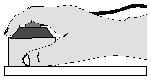 | hand scanning - one axis
- no motion hardware is required, just a transducer
- capable of producing a-scans and b-scans
- select artificial encoder mode, or
- select timer-based data collection mode
|
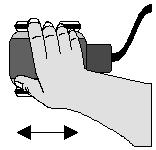 | manual scanning - one axis
- hardware is required to read the encoder position information
- capable of producing a-scans and b-scans
- select an encoder interface card, or
- use the encoder interface on a motor controller such as a Compumotor AT6400 or Galil DMC
|
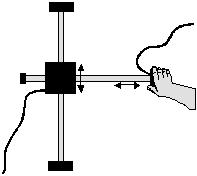 | manual scanning - two axis
- hardware is required to read the encoder position information
- capable of producing a-scans, b-scans and c-scans
- select an encoder interface card, or
- use the encoder interface on a motor controller such as a Compumotor AT6400 or Galil DMC
|


 Print
Print Email page
 Share
Share